Offline-first, not offline-only
The ledger lives in a local database on your phone. Nothing is uploaded unless you switch on backup, and the app keeps working on a train, in a basement, or on a shop counter with no signal.

Personal & small-business ledger
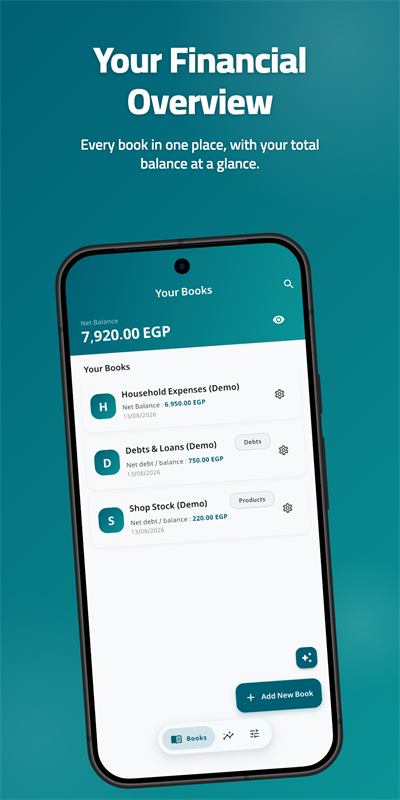
MRE CashBook is a digital cashbook for the money you handle every day. Record cash in and cash out, keep a business ledger of who owes you and what you owe, watch stock move with your sales, and export a clean PDF when someone needs a receipt. No account to create, no ads, and your records stay on your device unless you choose to back them up.
Trust
Most expense tracker apps ask for an account before they show you anything. This one opens straight into a book you can write in.
The ledger lives in a local database on your phone. Nothing is uploaded unless you switch on backup, and the app keeps working on a train, in a basement, or on a shop counter with no signal.
Backups are encrypted on the device before they leave it, and they go to your Google Drive or Huawei Drive — not to a server we run. We have no copy of your ledger to lose, sell, or hand over.
Deleted books and entries wait in the Trash instead of vanishing, and every book and entry keeps an activity log: what changed, when, and what it changed from.
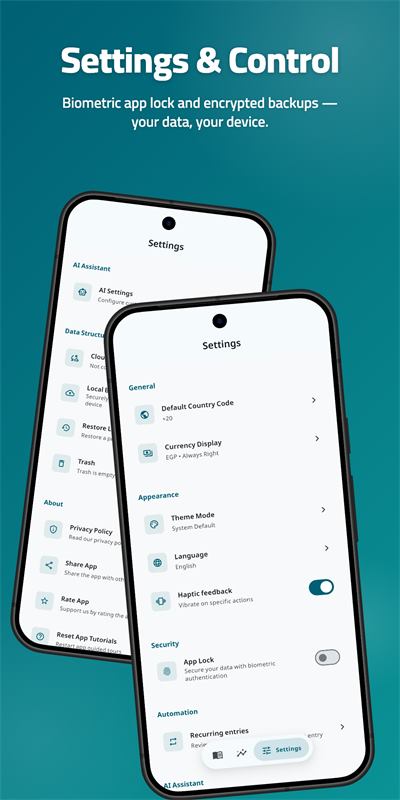
App Lock uses your device's fingerprint or Face ID, and a privacy toggle hides every balance at a glance — useful when you hand the phone to a customer.
MRE CashBook ships to Google Play, the App Store and Huawei AppGallery. On a Huawei device with no Google services, backup runs through Huawei Drive instead — the feature isn't cut, it's rerouted.
MRE CashBook is a personal record-keeping tool. It is not a bank, a financial institution, or a financial advisory service, and it never moves real money.
Features
Every feature below is in the shipping app — no roadmap items, no "coming soon".
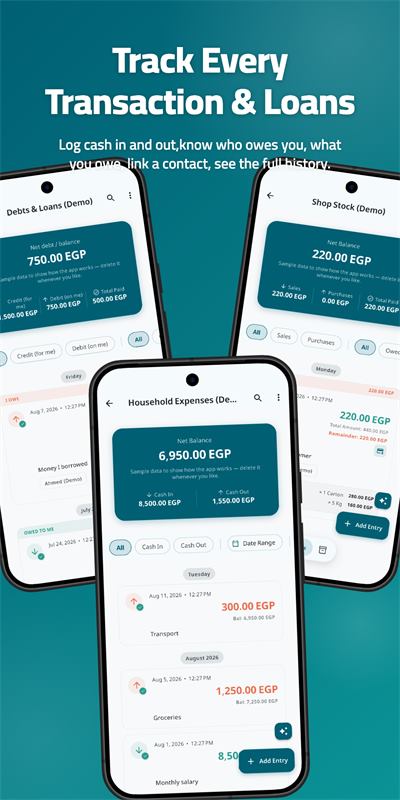
A Standard book records cash in and cash out with a balance that updates as you type. Filter by cash in, cash out, or a date range, and tick several entries to keep a running in, out and net at the bottom of the screen.
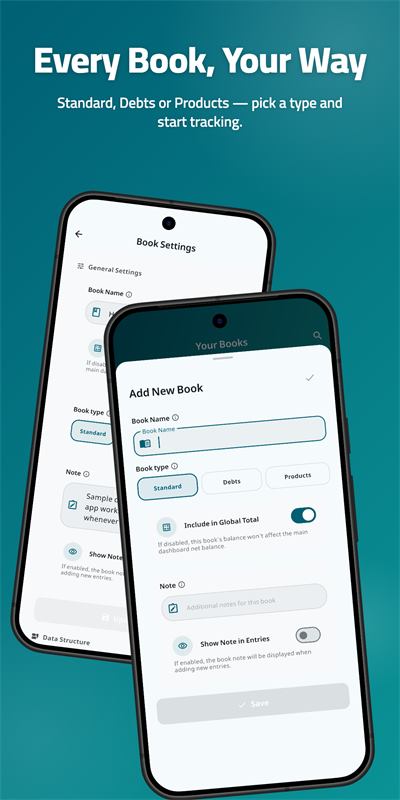
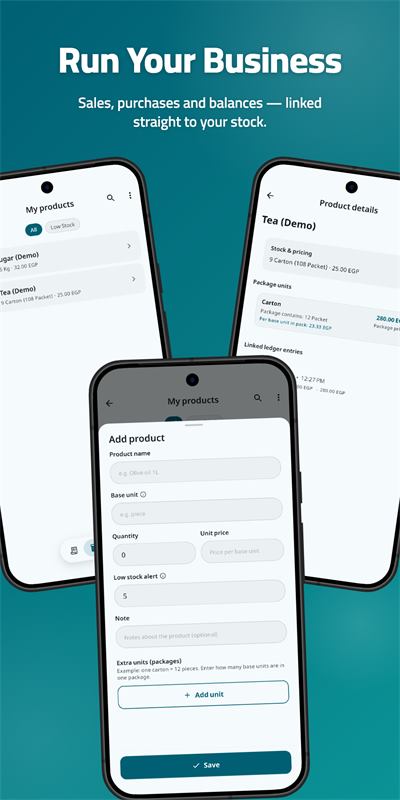
Pick the book type that matches the job: Standard for cash flow, Debts for who owes you and who you owe, and Products for stock, packaging units and prices that carry straight into a sale.
Settle a contact's balance across several entries at once, with a summary of which entries the money covers before you confirm. Paid too much? Send the surplus to another entry or record it as a refund. Filter by settled, partly paid or unpaid.
Sign in with your own Google or Huawei account and the app keeps an encrypted backup in that account's private app folder. Restore on a second device and the two ledgers are merged record by record, with any conflicts listed for you to decide.
Choose the columns, see how many entries the report covers, then export. Arabic reshaping and right-to-left layout are handled properly. Share a selection as a PDF table, a totals card image, or plain text.
Type 1200+340×2 with brackets right where the amount goes. Every calculation you finish is kept in a list you can label, reuse later, and drop into the entry note so the arithmetic is part of the record.
Attach photos, PDFs and videos to an entry and see a real thumbnail rather than a filename. Record a voice note straight into the entry and play it back with a waveform. Notes and attachments travel with the entry when you copy it to another book.
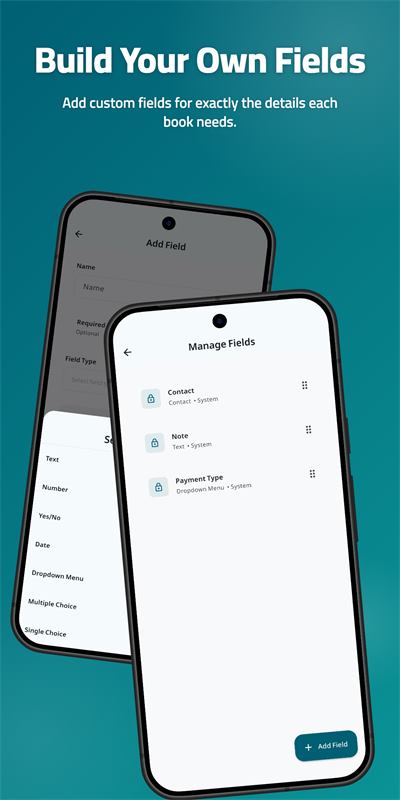
Each book gets the fields it actually needs — text, numbers, dates, yes/no, dropdowns, single or multiple choice, contacts, product lines and files. A workshop and a household budget do not need the same form.
Set an entry to repeat daily, weekly, monthly or yearly. The app posts it on time and tells you. One screen in Settings lists every schedule with its next date, so nothing runs that you cannot find, pause or cancel.
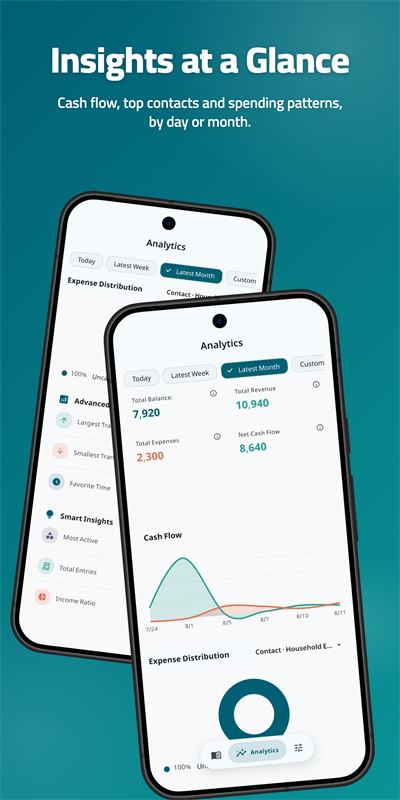
Cash flow over time, a donut chart of expense distribution you can tap into, a KPI grid with revenue, expenses and net, plus insight cards — largest transaction, most active contact, income ratio — that open the detail behind them.
Search amounts, notes and the values stored in your own custom fields. Filters keep their search box pinned, which matters on a field with hundreds of values.
Ask about your books in plain language, typed or spoken, or photograph a receipt and let it become entries. It is off until you use it, only the message you send is transmitted, and you can plug in your own API key to run it on your own account.
Screens
Screens from the shipping app, on a phone. Tablets get a side rail and the same books.
Who it's for
Log the salary that arrived and the groceries that left, and see the balance without doing the sums. Photograph the receipt so the number has proof behind it. Set the rent and the subscriptions as recurring entries and stop re-typing them every month. Turn on App Lock so the person borrowing your phone doesn't read your balance.
A shop, a workshop, a delivery round or a freelance practice keeps the same three books: the till, the customers who pay later, and the stock on the shelf. MRE CashBook keeps them side by side and totals them into one net balance on the home screen.
Backup & cloud sync
Cloud sync is per user and it is optional. Here is the whole mechanism, without the marketing.
https://www.googleapis.com/auth/drive.appdata —
which can only see the hidden app-data folder that MRE
CashBook creates inside your own Drive. It cannot list, read
or touch the rest of your files.
What we are not claiming. No app can promise absolute security, and this one won't. The backup is encrypted with a key built into the app, not with a password only you know — treat it as protection against casual access to the file, not as end-to-end encryption. Anyone who can unlock your phone, or who can sign in to your Google or Huawei account, can reach your data. Use your device lock, turn on App Lock inside MRE CashBook, and enable 2-step verification on the account you sync with.
Your ledger — entries, debts, inventory — is never sent to us. A small device profile is sent on launch, and crash reports and notification identifiers go to Firebase and OneSignal, as described in the MRE CashBook privacy policy.
Limited Use disclosure. MRE CashBook's use and transfer of information received from Google APIs to any other app will adhere to the Google API Services User Data Policy, including the Limited Use requirements. Details in our Google API data disclosure.
Download
Free to download on Android 7.0 and newer, iOS 15 and newer, and Huawei devices through AppGallery. Current version 1.5.2.
FAQ
Yes. MRE CashBook is free to download on Google Play, the App Store and Huawei AppGallery, and there are no ads. The optional AI assistant has a daily message limit; adding your own API key removes that limit and bills you through your own provider account.
Yes — that is the default. Every book, entry, report and PDF export works with no connection, because the ledger is stored in a database on your device. A connection is only needed for the optional cloud backup and the optional AI assistant.
No. You can install MRE CashBook and start recording expenses immediately. Signing in with Google or Huawei is only asked for if you decide to back up to your own Drive.
On your device. If you enable cloud sync, an encrypted backup is also kept in the private app folder of your own Google Drive or Huawei Drive. Your entries, debts and inventory are never uploaded to servers run by MRE Code.
Yes, through backup and restore. The first device uploads an encrypted backup to your Drive, the second one downloads it, and the two databases are merged record by record — with a list of the books where they disagree. It is not live, continuous editing on two phones at once.
Yes. Reports and receipts export as PDF with the columns you choose, and the entry count is shown before you export. You can also share a selection as a PDF table, a totals card image, or plain text. Arabic text is reshaped and laid out right-to-left correctly.
Yes. Use a Debts book for customers and suppliers, a Products book for stock, packaging units and prices, and a Standard book for the daily till. Sharing an entry from a Debts or Products book shows what was billed, what was paid, and who owes whom in words.
Android 7.0 and newer, iOS 15 and newer on iPhone and iPad, and Huawei devices through AppGallery — including devices with no Google services, where backup runs on Huawei Drive. The app ships in 9 languages (Arabic, English, Spanish, French, German, Turkish, Russian, Hindi and Chinese) with full right-to-left support, in light and dark themes.
Yes. Photos, PDFs and videos attach to an entry with a real thumbnail, and you can record a voice note into the entry and play it back with a waveform. Attachments are included in your backups.
No. It is a personal record-keeping tool for money you have already handled. It does not move money, hold funds, issue loans, or give financial advice.